 PRIVOX
Push-to-talk for event and venue crews, joined by QR
Stage power drops in the middle of a changeover. A cable ramp comes loose as the gates open. Day one volunteers must be off the channel by day two. Crews join by QR on their own phones, and the group closes after the load-out.
- Stage 2 power: Stage 2 power lost at the distro on the deck
- Stage 2 manager: Stage two. Everything went dark on the deck. Changeover has stopped.
- Electrician: Electrician. On my way to your distro, three minutes.
- Stage 2 manager: Stage 2 distro: all indicator lights are off.
- Electrician: Rain got into a connector and tripped it. Dried, covered, power is back.
- Production office: Thanks. The next act starts ten minutes late, curfew stays at 23:00.
- Stage 2 manager: Copy. Line check in five, we'll be ready.
How PRIVOX helps
- JOIN STAGE 2SCAN WITH THE CAMERAVALID UNTIL 23:00
On the channel by QR
At accreditation each steward and contractor scans a personal QR card and is on air. Nothing to type, no handset to sign out.
- STAGE 2ON AIR08:0023:30CLOSES AUTOMATICALLYHISTORY KEPT
A channel that ends with the show
The event group has start and end dates. Day one cards stop working on their own, and the chat history stays.
- Stage 2 powerNo powerIndoor21.4 °CMainsOn
Stage power reports itself
A sensor at the stage distro alerts the stage crew and the electrician the moment the supply drops.
- DISPATCH-1STAGE 2ON AIR
Own phones and radios together
Stewards use the phones in their pockets, riggers carry rugged radios with a talk key. Same channel, no gateways.
Try it on the radio
The same interface, set up the way it could look for you: your channels, your callsigns, your sensor.
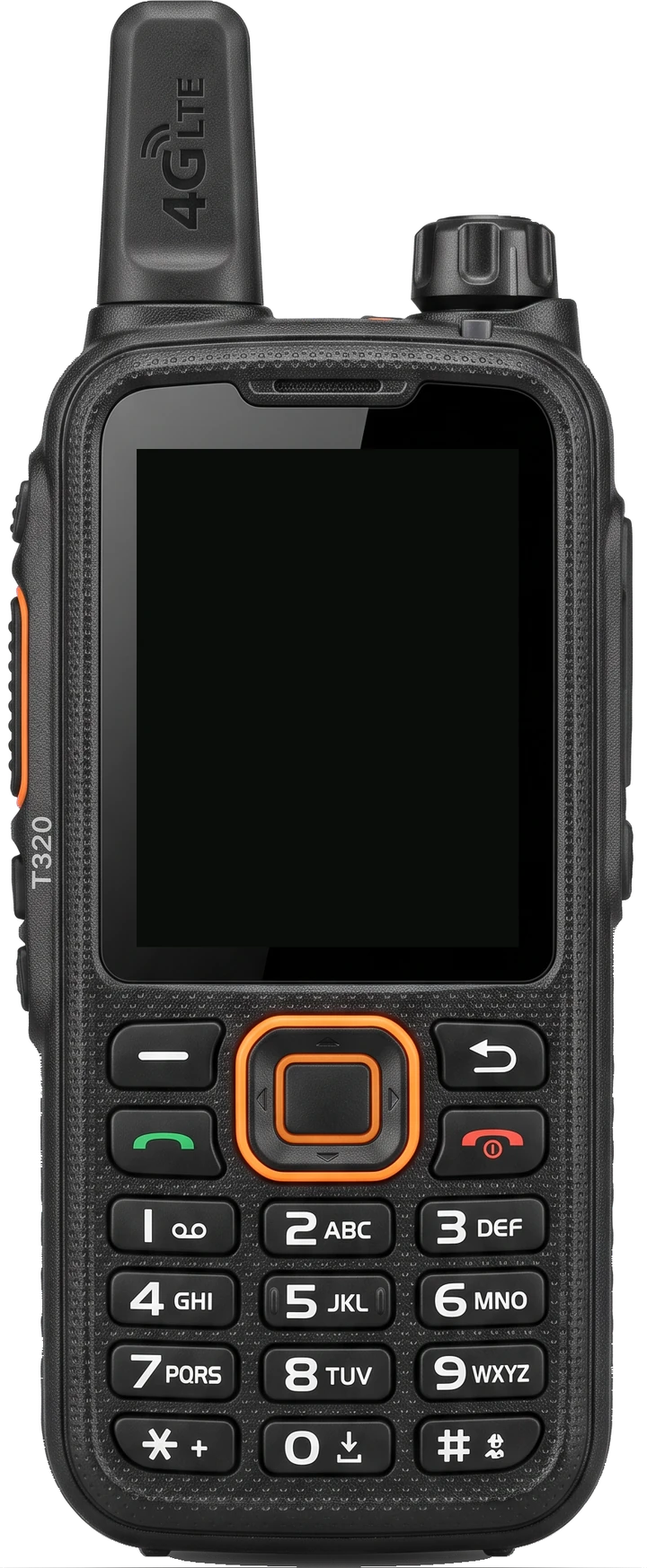
PRIVOX is light on the battery. By the 5-5-90 cycle radio makers use to rate battery life, a radio running PRIVOX lasts about 21 h, while typical radios are rated at 8–12 h. Calculated from a full discharge test on an Inrico T320.
How we adapt to you
Groups by stage and contractor
Stages, gates, catering and production each get a group. Production hears them all and speaks into any of them.
Dates for build, show and load-out
Each crew's group has its own dates, so people leave the channel when their part of the job is done.
Listen-only for volunteers
Volunteers can hear the channel without talking on it. Contractors can keep location sharing off.
What we can add
Posts, not names
Call “Gate B lead” and reach whoever has signed on for that post right now. We add an explicit sign-on for each shift.
Rented radios on the same channel
We connect further PoC radio models and add a bridge to DMR, so crews with their own handsets stay on one channel.
A timeline for the debrief
Alarms, photos, voice and chat from one incident on a single timeline, exported as PDF for the post-event review.
Your everyday radios in the same channel
A gateway connects the radios you already have to PRIVOX groups: people press the same button, and the app and the dispatcher hear them. It only needs a network: internet or your site’s local network.
Details and manual
Sensors that work inside PRIVOX
Sensors plug into the same system and extend what it does: the alarm reaches the right radio and the console, someone accepts it, and it closes when the sensor is back to normal. For Events & venues we recommend:
Start with one real site
We set PRIVOX up on one of your sites — with your people, your channels and your sensors — and agree up front what a good result looks like.
- A 20-minute call
We go through your sites, shifts and the alarms that matter most.
- A live demo on your devices
Phones, radios and the console — on your site or remotely.
- A pilot on one site
Your shift works on PRIVOX. Together we measure how fast alarms reach people and get an answer.